
Atharix features
Design, issue and manage certificates
Add your trainee list, design a certificate with your logo, then review the names and issue. Email the certificates, track them and correct names after issuance.
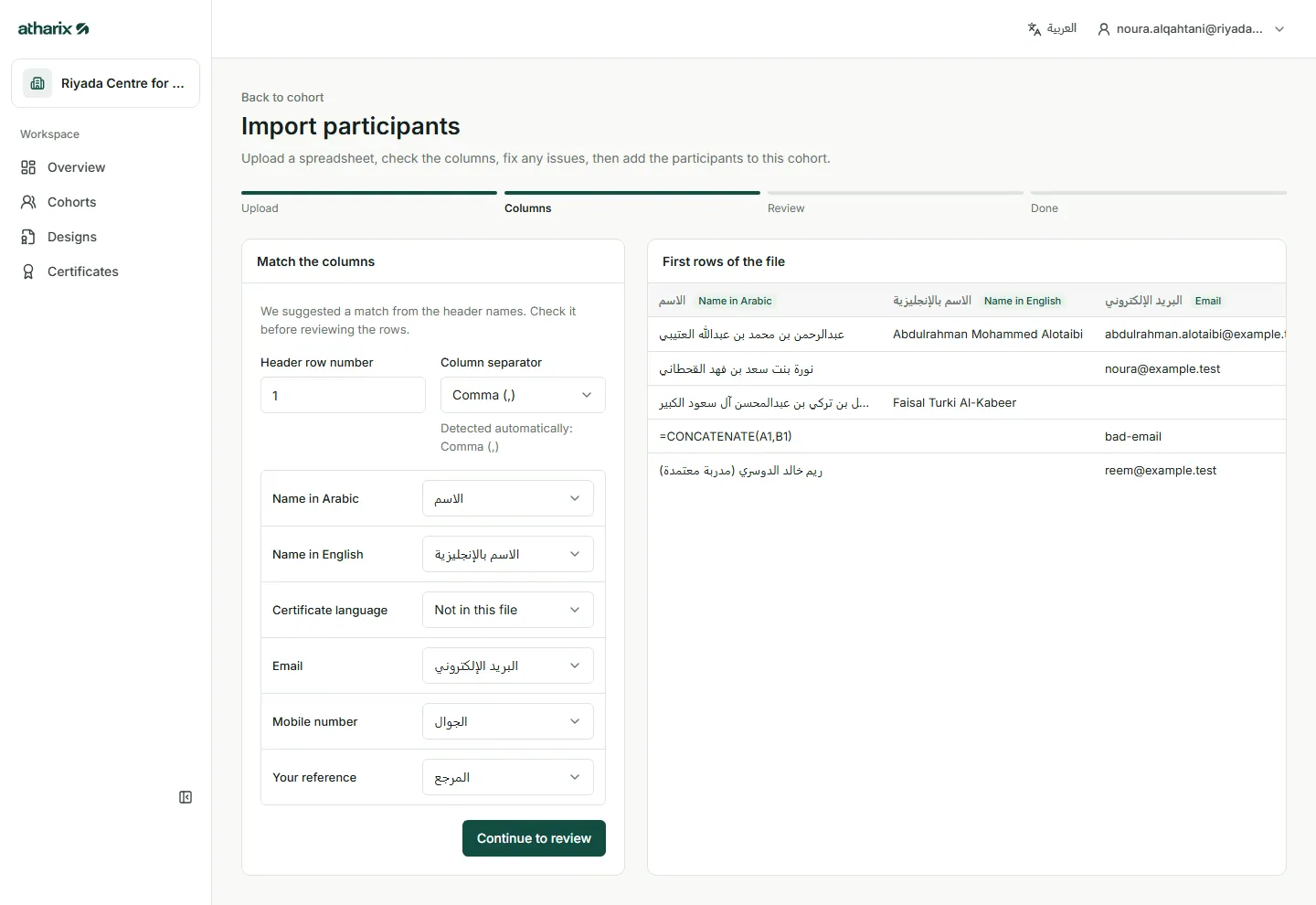
Import your trainee list
Upload an Excel or CSV file, or add trainees manually. Match each column to the right field, then review duplicates and rows that need correcting before saving.
- Store Arabic and English names and choose the certificate language
- Duplicates flagged, errors downloadable as a sheet you can fix
- Participants can confirm the spelling of their own name from a private link
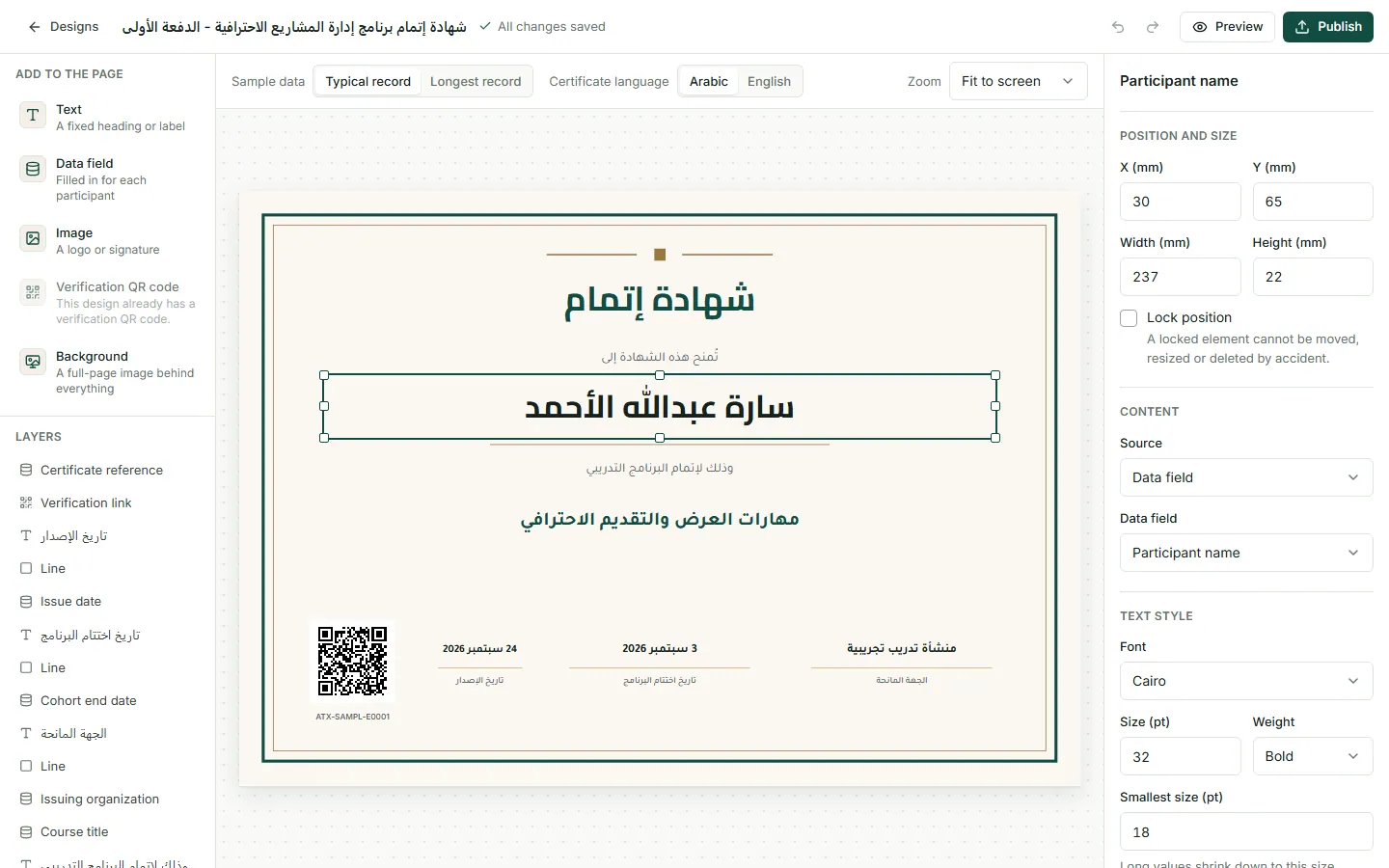
Design in Arabic and English
Browse the certificate library or upload your own background. Add your logo and certificate text, then position the name and QR code. Preview the longest name to check it fits.
- Arabic and English text with the correct writing direction
- Adjust name size and see a warning if it does not fit
- Issued certificates keep their design when you later edit the template
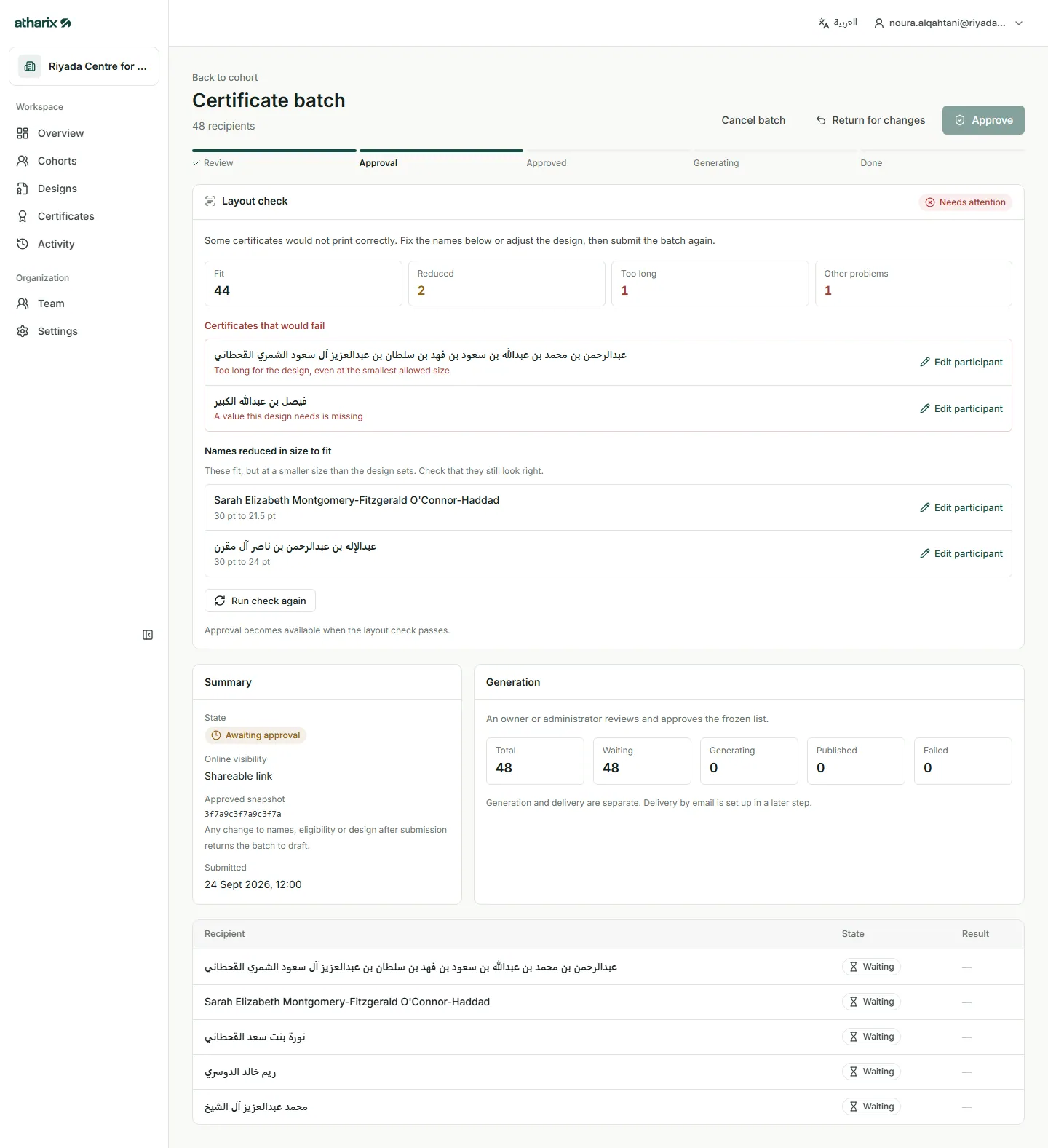
Check the details before issuing
Check the names, design and delivery method before approval. Atharix checks how each name fits and flags anything that needs editing. Later data changes require another review.
- Find and correct names that do not fit the design
- Return a batch for changes with a reason
- Optional two-person approval on paid plans
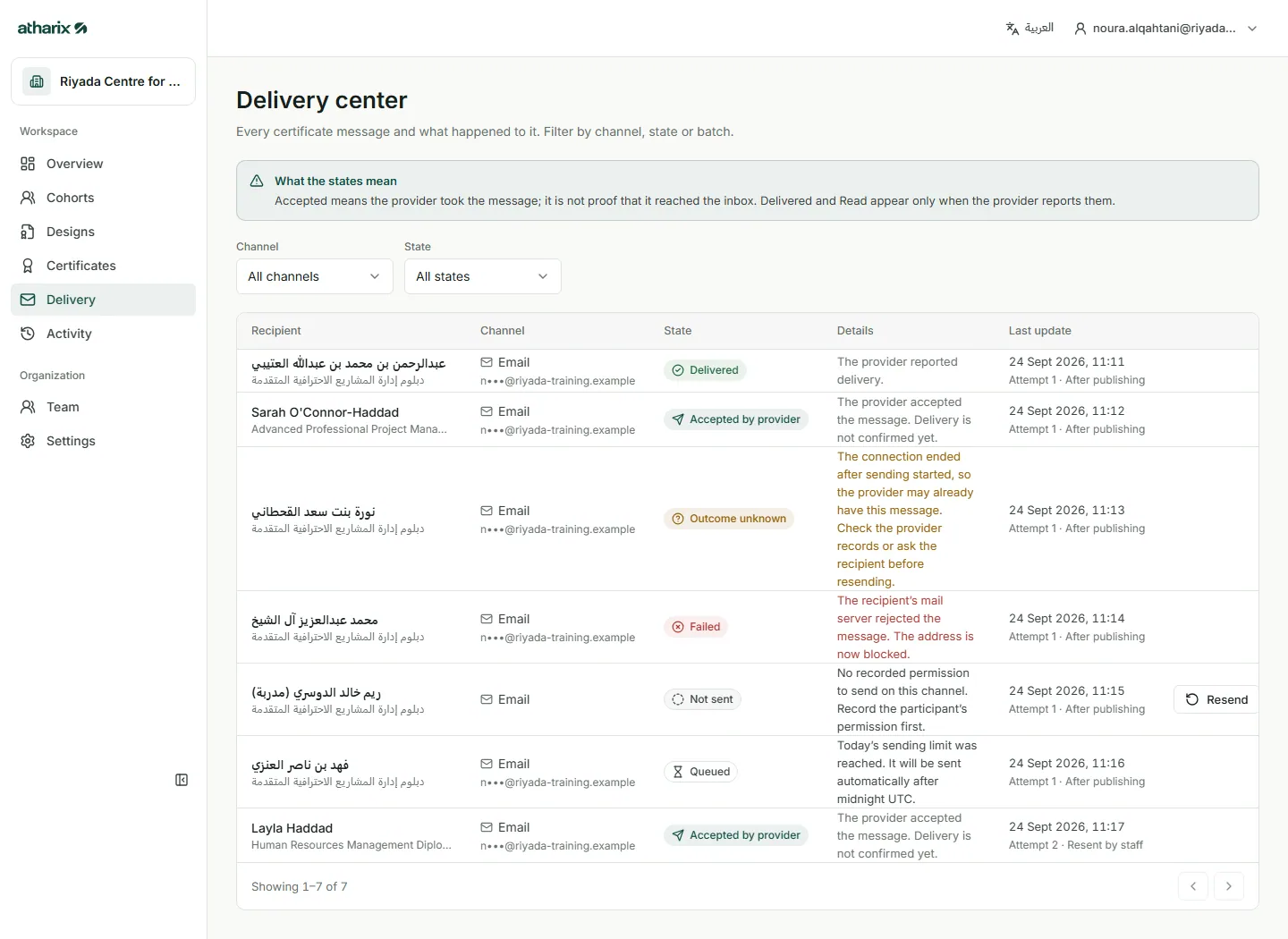
Issue certificates and send them to trainees
After approval, generate certificate PDFs with a QR code on each one. Download the files or email a link to each trainee who agreed to receive it.
- Track each certificate and retry failed generation
- See each email’s status, with daily sending limits
- Download individual PDFs, or a ZIP and CSV of a whole batch
Correct a name or revoke a certificate
Correct a name while keeping the certificate’s link and recording the change. If you revoke or replace a certificate, its verification page shows the updated status.
- Full version history for every certificate
- Spelling corrections do not use another certificate from your allowance
- Confirm revocation before it takes effect
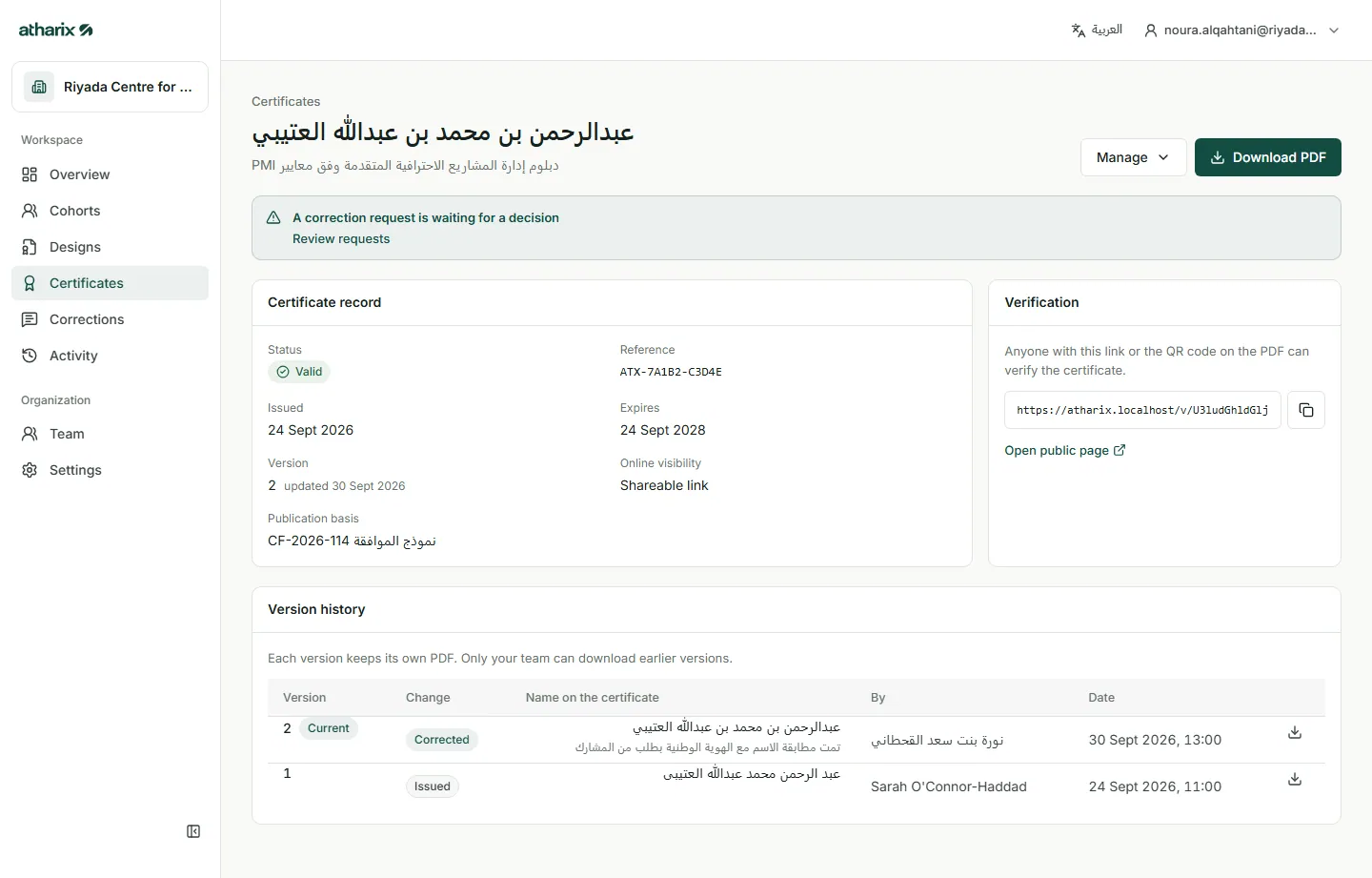
Review changes and download your records
See who issued or changed a certificate and when. Download certificate records and access export files for seven days after creation.
- Activity log for members, batches and certificates
- Exports expire after seven days
- Each organization has its own subdomain and isolated data
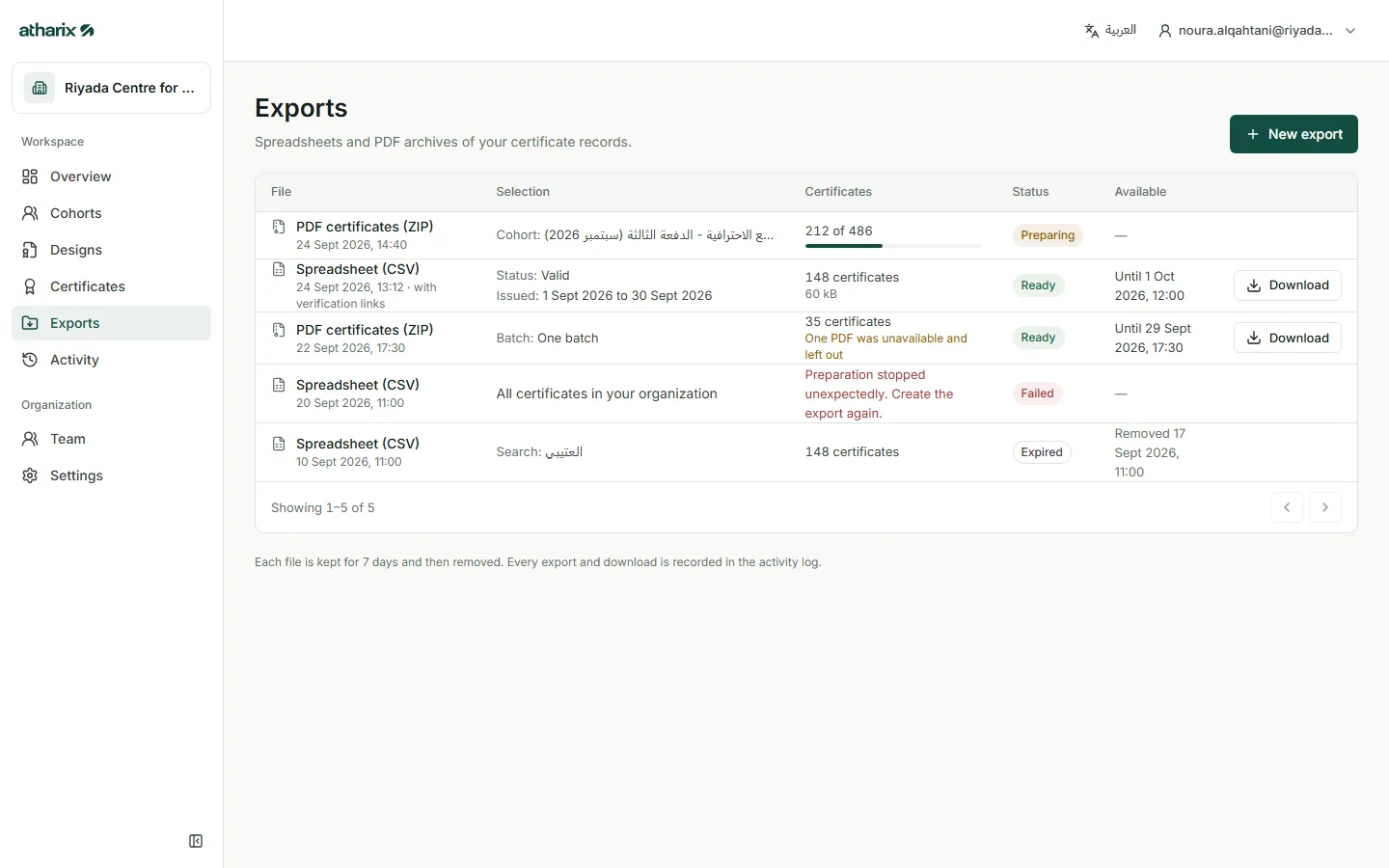
Screens from the product with sample data. People and organizations shown are fictional.
Features planned for later
These features are not available yet. We will publish the details when they become available.
- Certificate delivery by WhatsApp (paid plans, with a separate messaging budget)
- Verification on your own domain
- Single sign-on for staff
- Open Badges and verifiable credential formats
Start designing your first certificate
Create a free account, choose a certificate template and add your logo. Issue 100 certificates each year without a bank card.